scpmkj@gmail.com
Get A Free Quote


 share
share
Some customers are asking questions about the mixing cylinder liquid level among the ink and solvent addition problems of Weidijie inkjet printer 1240 and 1280 models. This question is divided into two categories: "mixing cylinder liquid level is low/empty" and "mixing cylinder liquid level is high." Tonight, I will mainly introduce to you in detail the problem of displaying low or empty liquid level in the mixing cylinder.
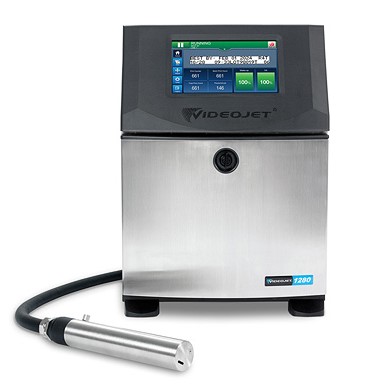
If the inkjet printer has a low or empty mixing cylinder liquid level and an alarm:
① The E15040 /E15969 mixing cylinder is not filled;
② E15066 /E15065 mixing cylinder is empty;
③ Low liquid level in E15064 mixing cylinder;
④ The ink shows that there is surplus, but it is actually empty.
Troubleshooting methods and solutions:
1. Unexpected addition of ink
The device shows that there is more than 20% ink left, but the actual ink tank is empty.
Considering factors such as valve leakage, such as leakage of the VI valve, when the VI valve is not activated, additional ink is added to the mixing cylinder. In the early stage, when the ink tank has ink, the liquid level may be high, but the false residual amount will appear after the ink tank is used up. Low level and other issues:
① Close the ink line, weigh and record the weight of the ink box:
Run the following corresponding register command and pay attention to see if ink flows in the black ink adding pipe
Vidiger 1240: DP250, WM30000, AR0
Vidiger 1280: DP250, J30, VJ1, WM1000, VJ0, WM1000,J, AR0
Weigh the weight of the ink cartridge after the program runs.
② If the following phenomena occur, the VI valve leaks, replace the valve components.
a) Ink flows in the black pipe.
b) The weight of the ink tank is reduced.
2. Pipelines, valves, and Venturi are blocked-little ink added/no ink added
Check and confirm whether the solvent addition is normal; refer to the "SRV2022-244 Simplicity 1240 1280 Guidelines for Handling Solvent Addition Problems" document.
a) If there is also a problem with solvent addition, follow the steps of clogging the solvent addition pipeline; and confirm that the pipeline from the ink addition port pin to the VI solenoid valve is normal;
b) If the solvent is added normally, focus on checking the ink addition port pin to the VI solenoid valve pipeline;(black pipeline and its connection block).
3. Liquid level sensor
If it has been determined that there is no problem with ink addition and that the mixing tank has sufficient ink. Tilt the ink system and observe the ink cylinder liquid level display on the operation interface. If the displayed liquid level does not change or the alarm cannot be cleared, the liquid level sensor is damaged and replace the ink system.






