scpmkj@gmail.com
Get A Free Quote


 share
share
What should I do if the inkjet printer has poor printing results? I believe that many users should want to know about this problem. With the popularity of inkjet printers and the usage rate are getting higher and higher, we will definitely encounter various problems and failures during our daily use. How to make quick judgments, identify problems, and solve problems in a timely manner? This requires us to have a clear solution idea or solution to reduce the impact of problems with the inkjet printer on the normal operation of the product production line and reduce factory output and work efficiency. Today, the maintenance technical engineer of Micro-Embedded will focus on chatting with you about the various situations and handling methods of poor typing by the inkjet printer.
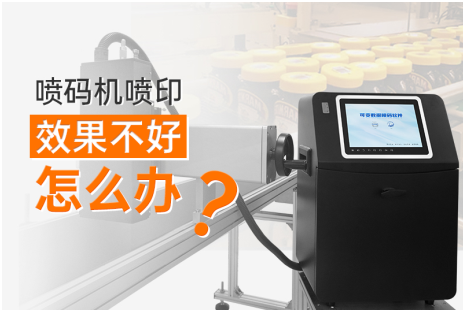
First of all, let's analyze what causes the inkjet printer to type poorly? We all know that the inkjet printer is composed of two parts: an ink path and a circuit. Once it is operated for a long time, the position of the ink line will change slightly, causing missing words or character defects in the jet printing. Coupled with environmental factors, as impurities increase, poor charging and poor deflection will lead to unclear typing.
Secondly, do you know what other reasons can cause the inkjet printer to perform poorly? Of course, there are also consumables ink used by inkjet printers, such as whether the ink viscosity is normal, whether the ink is within the shelf life, etc.
Finally, whether the printer is effectively grounded: grounding is divided into two types of grounding, protective grounding and anti-interference grounding. The inkjet printer uses anti-interference grounding. If protective grounding is used, it will only cause greater instability.
After understanding the causes, we can summarize several solutions based on these problems.
1. First, immediately suspend the printer, then open the nozzle protective cover, and check whether there is ink accumulation on the surface of the nozzle nozzle, charging tank, recycling tank, etc., and whether it is contaminated and dirty by ink. If it is dirty, the solution is to prepare a metal or plastic beaker with a good grounding to receive the waste liquid to prevent the waste liquid from polluting products, machines or the ground, and at the same time prevent the appearance of open flames. After the nozzle is cleaned, reopen the ink line and observe the ink line condition, recycling status, and ink dot splitting status. If there is no problem in the monitoring, then cover the nozzle cover and start printing, and you can complete the problem of unclear printing of the inkjet printer. Processing and repair.
2. Cleaning the nozzle, first ensure that the modulation is the correct setting, including the correct pressure value and charging value. Pay attention. After changing or cleaning the inkjet printer, make sure the nozzle is dry before turning on the spray printing function.
After understanding the reasons and solutions for unclear printing words by the inkjet printer, let's talk about another factor that will occur when the inkjet printer is spraying: What should I do if I spray half of it? Half of the printer prints, either the head or the tail is not displayed. If there are multiple lines of information content, there may be a line at the top or bottom that is not printed. What is the reason for this? There are several reasons:
1). The recycling tank hangs ink. If there is accumulated ink below the recovery tank, it will block the deflected ink droplets, resulting in incomplete jet printing.
2). Poor charging. It means that a certain amount of charge is not charged according to a predetermined value, resulting in a substandard deflection distance, resulting in an unsightly appearance of half a word or font.
3). Insufficient high pressure. If the high pressure is insufficient, it will also cause the deflected words to be weak and unable to reach the expected flight deflection position. It will also lead to poor typing or half of the situation.
To sum up, I believe that everyone has a certain understanding of the situation of poor typing on the inkjet printer. If the fault still cannot be solved, you need to contact the maintenance engineer of the inkjet printer manufacturer in time for remote guidance on correct handling or make an appointment with the manufacturer. Time for door-to-door repair.






