scpmkj@gmail.com
Get A Free Quote


 share
share
Let me tell you how to make the inkjet printer equipment ensure better clarity when printing logos. In the process of changing parameters, if you do not control the accurate operation compilation, it is very necessary for real-time high-end inkjet printers and after-sales service personnel to carry out targeted implementation, so as to ensure the clarity of the inkjet printers. The operation of the inkjet printer and the influence of meteorological components The operation of the inkjet printer also has certain requirements for meteorological elements. In particular, assuming that excessive dust caused in the production line may also affect the realization of clarity. Therefore, it is also necessary to clean the nozzle on schedule during the operation of the inkjet printer, and do a good job in related dust prevention.
Especially if too much dust is caused in the production line, it may also affect the realization of clarity. Therefore, it is necessary to clean the nozzle regularly during the use of the inkjet printer, and pay attention to relevant dust prevention work. Temperature problem Food packaging-logo jet printing inks are not high or low temperature resistant inks. In high or low temperature environments, it may also affect the realization of clarity. Therefore, in this process, try to follow the temperature requirements of the inkjet printer as much as possible to control the temperature. Try to do standard inkjet printer work in accordance with temperature requirements as much as possible to create an environment. Nowadays, the use functions and methods of the inkjet printer have been very complete, and the problem of clarity can be solved well. However, some external conditions should still be checked in specific use, and the inkjet printer should be done well. Only by maintaining the inkjet printer can the printing clarity of the inkjet printer remain stable, the quality of the product can be guaranteed, and productivity can be improved.
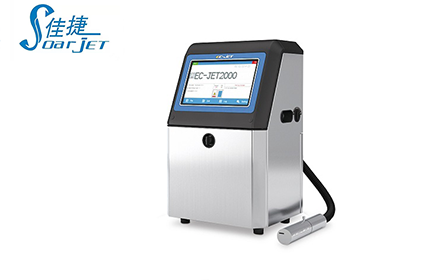
If we pay attention to maintenance at ordinary times, we can reduce the failure rate and reduce the losses caused by failures. Therefore, the daily maintenance and maintenance of the inkjet printer is very important. In addition, special personnel should be arranged to manage and maintain the inkjet printer to ensure that the inkjet printer is not dragged casually during the production process. In order to extend the service life of the inkjet printer, improve equipment utilization rate and integrity rate, and reduce failure time. The maintenance of inkjet printers is generally divided into precautions and timely cleaning. Precautions are to operate the inkjet printer correctly, especially illegal operations that are harmful to wearing parts or parts with high failure rates should be avoided. Timely cleaning is mainly about cleaning the machine pipes and nozzles, because these two parts are extremely important and prone to failure of the machine.






