scpmkj@gmail.com
Get A Free Quote


 share
share
With the popularity of handheld inkjet printers, a large number of product manufacturers have begun to use handheld portable inkjet printers. As the use time grows, we have to face a problem. That is the repair and maintenance problem of handheld inkjet printers. For example, how to deal with faults quickly, how to ensure the normal stability of the inkjet printer, how to ensure the balance of the quality of the printing effect, etc.
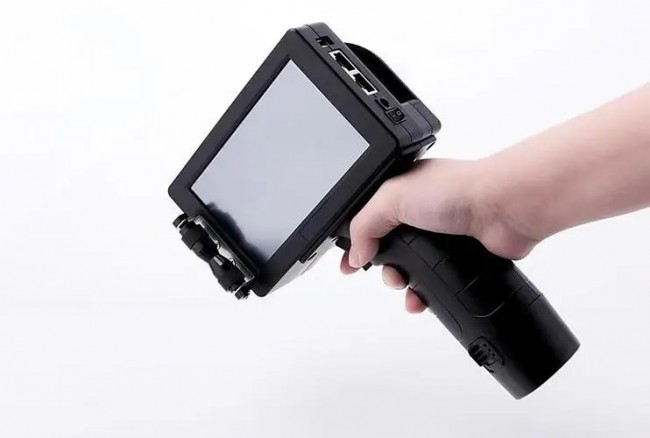
Then let's share with you today the common faults and maintenance problems of handheld portable inkjet printers.
1. The handheld inkjet printer cannot be turned on:
The common reason is that the battery is dead or the battery is damaged (such as inability to charge). The solution and treatment method is to replace the battery. In addition, a small number of faults may be caused by poor contact. It is recommended to plug and plug the wiring again. If this cannot be solved, please contact the manufacturer.
2. Poor printing effect of handheld inkjet printer:
Common phenomena include blurred content of spray printed information, incomplete spray printed information, and partial information not displayed (for example, only one line or more than one line is sprayed out of 2 lines of information)
3. The handheld inkjet printer cannot enter the system or has a black screen:
The common situation is that after turning on the power normally, the main interface cannot be accessed, and the machine cannot be operated and used. The treatment method is to connect the computer through a data cable and brush the machine, which is commonly known as reinstalling the system.
4. Variable QR codes or databases cannot be printed:
The printing of variable information requires the support of the system and software. When selecting a handset, you must confirm the technical requirements with the manufacturer or supplier to understand and prevent them in advance to prevent this incident from affecting production. The common treatment method is You can apply for an upgrade software with the manufacturer to support this application.
5. The handheld inkjet printer does not print:
Common situations include damaged electric eyes, sensors or poor contact. When dealing with the above problems, you need to first check whether the synchronizer is working normally and whether the software printing counter is beating normally. The solution is to prepare some vulnerable parts, such as synchronizer drive belts, photoelectric sensors, etc.






