scpmkj@gmail.com
Get A Free Quote


 share
share
First of all, if netizens using online inkjet printers have the same problem, they can also solve it through the methods we describe below, because the ink cartridges used by online inkjet printers are actually the same as handheld inkjet printers.
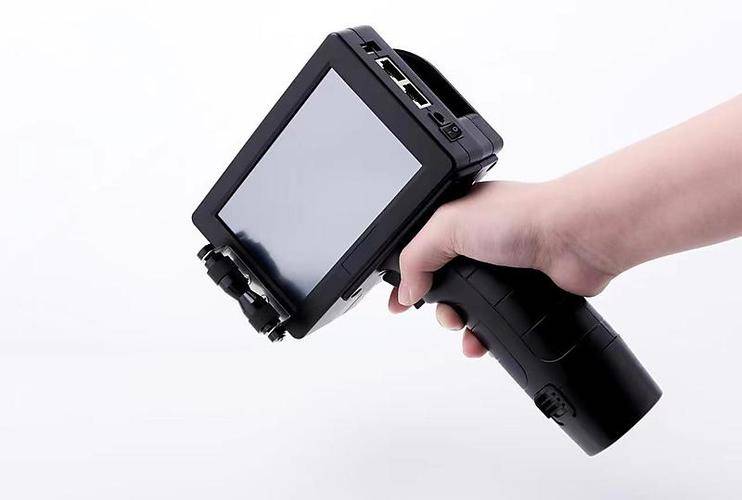
1. Check whether the ink cartridge has dried up
One of the common problems in using handheld inkjet printers is that the ink is not smooth, or it simply does not produce ink. At this time, we need to check the condition of the ink cartridge. If the ink cartridge has dried up or is low on ink, you need to replace it with a new ink cartridge.
2. Check whether the nozzle is blocked
If the ink cartridge is normal and the inkjet printer still does not spray ink, then the nozzle head is likely to be blocked. At this time, you can clean the spray head with professional cleaning solution. The specific method is: Pour the cleaning solution into the nozzle inlet, and then press the inkjet button to let the cleaning solution flow out of the nozzle. This can clean away the dirt and impurities in the nozzle and restore the normal operation of the inkjet printer.
3. Clean the ink pipe
When using a handheld inkjet printer, the ink lines are often blocked by dirt and dust, causing ink to flow. In this case, we need to find the inlet of the ink line, connect the line to an ink absorber or pump, and then draw in some air. This cleans the ink line and restores ink circulation.
4. Check whether the battery is charged
The handheld inkjet printer requires battery power. If the battery power is too low, ink cannot be sprayed. At this time, we need to check whether the battery is charged. If the battery power is too low, charge the battery in time or replace it with a new battery.
5. Check whether the sprinkler head is placed correctly
Before using the inkjet printer, you need to pay attention to the use of the nozzle. Some spray heads need to be connected to pipes, and some spray heads need to be connected to ink cartridges. If the nozzle is not placed correctly, ink cannot be ejected. Therefore, before using a handheld inkjet printer, be sure to read the instructions for using the nozzle carefully.
6. Contact after-sales service personnel
If none of the above methods can solve the problem that the handheld inkjet printer does not spray ink, then there may be a failure in the equipment. At this time, it is recommended to contact the equipment supplier or after-sales service personnel to seek professional solutions.
In short, a handheld inkjet printer is a very practical device, but various problems may also occur during use. I hope the methods described in this article can help you solve the problem of handheld inkjet printers not spraying ink and make industrial production smoother.






