scpmkj@gmail.com
Get A Free Quote

  • WHAT ARE YOU LOOKING FOR?
  • Total quantity you need
  • Due to email instability, you might miss our correspondence. Please provideyour phone number for alternative contact.
Tips to save handheld inkjet printer ink cartridges: Let your ink cartridges stay young forever
Home > News > Tips to save handheld inkjet printer ink cartridges: Let your ink cartridges stay young forever

Tips to save handheld inkjet printer ink cartridges: Let your ink cartridges stay young forever

2026-01-05 Click: 9

More understanding, more choice


A new era of marking automation


Use innovation to open up a new trend in the coding and labeling industry!


As a kind of equipment widely used in industrial production and packaging, the preservation of its ink cartridges is crucial to ensuring the coding effect and extending the life of the equipment. Properly storing the handheld inkjet printer ink cartridges can not only effectively prevent ink deterioration and nozzle clogging, but also ensure that the ink cartridges can be used normally when needed, improving production efficiency and spray printing quality. Here is a detailed guide on how to properly store handheld inkjet printer cartridges.


1


Detailed instructions for saving ink cartridges


South


1. Choice of storage environment


First of all, the storage environment of handheld inkjet printer cartridges is crucial. In order to ensure the quality of storage of ink cartridges, they should be stored in a dry, well-ventilated environment with a suitable temperature. Generally, the ideal storage temperature is 15 ° C to 25 ° C, and the humidity is controlled between 40% and 60%. Such an environment can effectively prevent ink from deteriorating due to temperature fluctuations, and prevent the ink from getting damp due to excessive humidity, which will affect the jet printing effect.


In addition, the place where ink cartridges are stored should be kept away from direct sunlight to avoid damage to the ink caused by ultraviolet light. Ultraviolet rays in the sun can accelerate the decomposition and aging of ink, causing problems such as ink deterioration and clogging of nozzle heads. Therefore, ink cartridges should be stored in a cool place, and it is best to pack them in a light-tight box or bag to further isolate ultraviolet light.


2. The importance of sealed preservation


For unused or temporarily unnecessary ink cartridges, sealed storage is the key to preventing ink deterioration and nozzle clogging. Most ink cartridges are hermetically packed to ensure the freshness and stability of the ink after leaving the factory. After opening the package, if the ink cartridge is not fully used, it should be resealed immediately and placed in a dry, cool environment.


For opened ink cartridges, it is recommended to use a special sealed box or plastic bag for packaging and ensure good sealing. This can effectively prevent dust and impurities in the air from entering the ink cartridge and prevent ink from being contaminated. At the same time, sealed storage can also slow down the evaporation rate of ink and extend the service life of the ink cartridge.


3. Avoid collisions and vibrations


When handling and storing ink cartridges, try to avoid strong collisions and vibrations. Collisions and vibrations may cause damage to the internal structure of the ink cartridge, leakage of ink, or even clogging of the nozzle head. Therefore, when handling and storing ink cartridges, handle them with care to avoid placing them in an environment prone to vibration.


In addition, for ink cartridges that have not been used for a long time, it is recommended to fix them in a stable position to avoid damage due to movement or vibration during storage. During storage, the ink cartridges can be wrapped and protected with foam pads, bubble films and other materials to further reduce the risk of collision and vibration.


4. Use during shelf life


Each ink cartridge has its own specific shelf life, usually around 2 to 3 years. Using ink cartridges within the shelf life can ensure the best performance of ink quality and spray printing effect. Therefore, when purchasing ink cartridges, you should pay attention to their production date and shelf life to avoid purchasing products that are about to expire.


For opened ink cartridges, they should be used as soon as possible within the shelf life. Ink cartridges that are left behind for a long time, even if they are not opened, may gradually deteriorate due to the ink coming into contact with air. Therefore, it is recommended that when purchasing ink cartridges, reasonably control the purchased quantity according to actual needs to avoid excessive accumulation and expiration of ink cartridges.


5. Correct installation and replacement


When replacing ink cartridges, you should follow the operation manual of the handheld inkjet printer for installation. Correct installation steps can ensure the compatibility of the ink cartridge with the inkjet printer, and avoid problems such as nozzle clogging and ink leakage caused by improper operation. Before installation, ensure that the printer is powered off and disconnected from the power supply. Then, follow the steps in the operation manual to open the ink cartridge lid of the printer, remove the old ink cartridge, install the new ink cartridge, and close the ink cartridge lid.


During the installation process, special attention should be paid to the direction and position of the ink cartridge to ensure that the interface between the ink cartridge and the printer is tightly connected. After the installation is completed, check whether the ink cartridge is installed in place to avoid loosening or misplacement leading to poor printing results.


6. Prevent mixing and chemical reactions


Do not mix ink cartridges of different models and brands of inkjet printers to avoid chemical reactions that will affect the quality of inkjet printing and the service life of the inkjet printer. Different brands of ink cartridges have differences in ink formulas, nozzle design, etc. Mixing may lead to problems such as ink incompatibility and nozzle clogging.
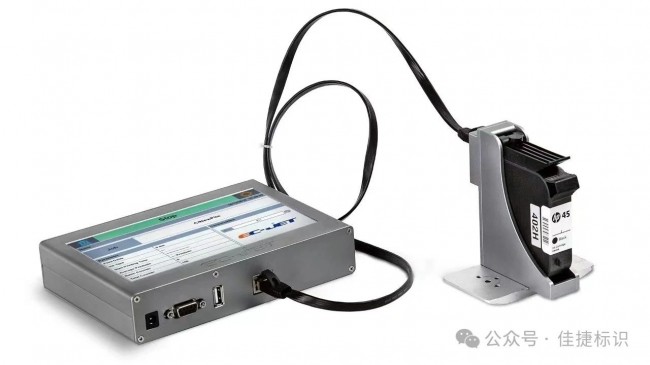


Therefore, when purchasing ink cartridges, make sure they match the model and brand of the handheld inkjet printer. At the same time, during storage and use, ink cartridges of different brands and models should be stored separately to avoid confusion and misuse.


mo24vjidy3j31_20260105214825.jpg


2


daily maintenance and maintenance


In addition to properly storing ink cartridges, handheld inkjet printers should also be maintained and maintained regularly to ensure normal operation and extend service life. The following are some common maintenance and maintenance methods:


1. Clean the nozzle regularly: Use a special cleaning agent or distilled water to clean the nozzle regularly, which can effectively prevent nozzle clogging and ink residue. When cleaning, ensure that the power supply to the printer is turned off and follow the steps in the operation manual.


2. Check the ink supply: Regularly check the ink supply of the ink cartridge to ensure sufficient ink. When ink is insufficient, the ink cartridge should be replaced in time to avoid ink exhaustion and jet printing interruption.


3. Check the power cord and connecting cord: Regularly check whether the power cord and connecting cord of the handheld inkjet printer are intact to avoid equipment failure caused by aging and damage of the line.


4. Keep the equipment clean: Regularly use a clean cloth or paper towel to wipe the housing and around the nozzle of the handheld inkjet printer to avoid the accumulation of dust and impurities that may degrade the performance of the equipment.


5. Avoid long-term idle periods: If the handheld inkjet printer is not used for a long time, it is recommended to turn on the printer at least once a week and perform a nozzle cleaning operation. This helps keep the spray head moist and smooth, preventing ink from drying up and clogging the spray head.


Handling under special circumstances


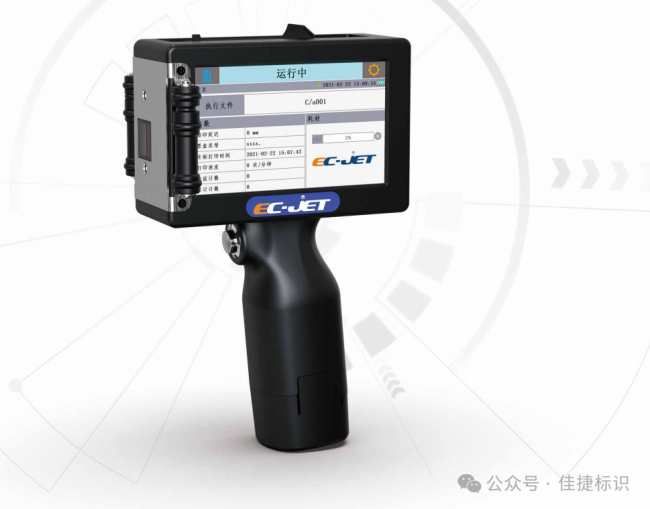
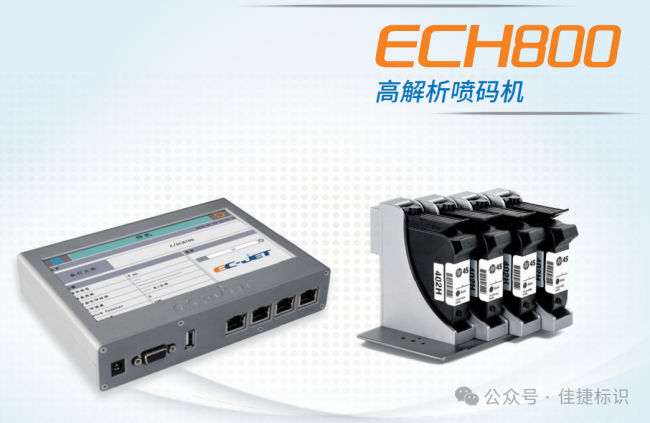
In special circumstances, such as not using the printer or ink cartridge for a long time, additional measures should be taken to ensure the storage quality of the ink cartridge. For example, when you don't use the printer for a long time, you can turn it on at least once or twice a week and print a test page to check the printing effect. At the same time, spray head cleaning orders are executed every other month to remove ink residues and impurities that may accumulate.


For ink cartridges that have been opened but are not in use for the time being, you can wrap them with plastic wrap or plastic bags and try to remove the air inside. This can further slow down the evaporation rate of ink and extend the storage time of the ink cartridge.

olta3itzu5532_20260105214825.png


jav3u5fhsjw33_20260105214825.png


3


summary


To sum up, correctly storing handheld inkjet printer ink cartridges is of great significance to ensuring inkjet printing effectiveness and extending equipment life. By selecting a suitable storage environment, sealed storage, avoiding collisions and vibrations, using within the shelf life, correctly installing and replacing, preventing mixing and chemical reactions, and conducting regular maintenance and maintenance, we can effectively extend the service life of ink cartridges and improve the stability and printing quality of the inkjet printer. At the same time, these measures can also help us reduce production costs, improve production efficiency, and provide strong support for the sustainable development and competitiveness of the company.


wioeov44tq334_20260105214826.jpg


j3s5qubl5yp35_20260105214827.jpg


Related Recommendations

Product FAQ
  • 1.What courier do you use for shipping?
    We ship via UPS Global Express
  • 2.Are you factory or trading company?
    We are a specialized manufacturer of inkjet printer and other related equipment in China, all products are manufactured by ourselves, and we have our own R & D team to serve you.
  • 3.ls there any warranty?
    Yes, We provide 12 Months Warranty.
  • 4.How can I choose the right machine?
    You can contact our customer service and they will recommend the most suitable one for your needs
  • 5.What can be printed on and in what size?
    The machine can print on paper boxes, plastic, metal, glass, wood, cloth and other materials; Machines are available in height 1.27 cm, 2.54 cm, 5 cm, 10 cm or larger sizes
  • 6.How many languages are there and can I add my own LOGO?
    The machine supports English/Arabic/Russian/French/Korean/Vietnamese/Japanese/Italian/Spanish/Bengali/Dutch/Portuguese/German/Greek and other languages;We can design your brand logo to customize the machine
  • 7.What I can print ?how many colors?
    You can print date, text, logo, variable data, batch number, QR code, serial number and other content. Red, yellow, blue, green, black, white and other colors are available.
scpmkj@gmail.com
+86 15900835508
+86 19136773235
+86 18979660480


