scpmkj@gmail.com
Get A Free Quote


 share
share
The increasingly widespread application of inkjet printers has also made inkjet printing equipment ubiquitous. Whether it is a large group enterprise or a small and medium-sized manufacturer, inkjet printers are always present in the production workshop. In practical applications, whether it is an online inkjet printer or a handheld inkjet printer, you will encounter failure problems in daily use. Generally, online inkjet printers have relatively complex working principles. When encountering a fault, they generally need to contact the inkjet printer manufacturer personnel to provide guidance on maintenance. The working principle of handheld inkjet printers is relatively simple. As long as the operator simply grasps the daily handling methods, the fault problem can be easily solved. Let's learn about common problems and solutions with handheld inkjet printers together with Orens.
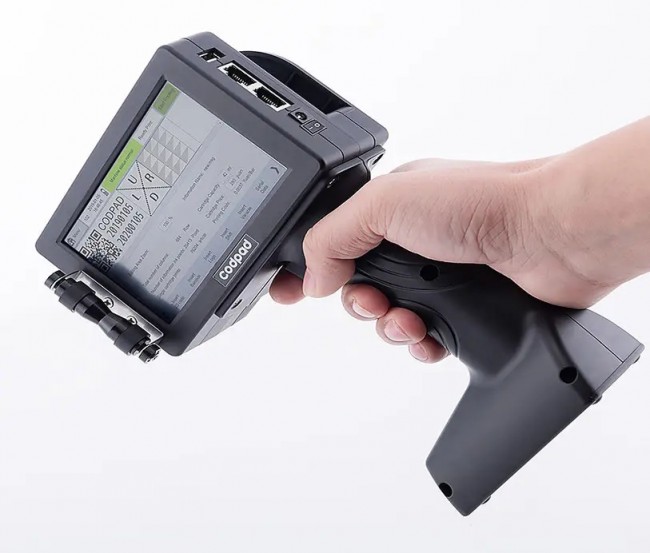
Generally, data transmission failure will be encountered during use, and we can solve it by following the following methods.
1. Please check whether the USB cable is connected correctly. If the link matches on the screen, it means that the communication is normal.
2. Please check whether the coding software and USB drivers are installed normally.
Solution: Reinstall the software or USB drive correctly.
Hand-held inkjet printers sometimes fail to spray words during use, and operators need to follow the following four steps to easily solve this problem.
1. Check whether the encoder climbing ring is loose or falls off.
Solution: Re-attach the climbing loop.
2. Please check whether the ink cartridge contains ink.
Solution: Replace with a new ink cartridge.
3. Confirm whether there is any data
reload data
4. Resunplug the ink cartridge
When there is blurred writing or missing needles (with horizontal interrupted stripes), we need to handle them carefully, especially when there are impurities on the surface of the nozzle, we must gently wipe them with tissue paper. Follow the following steps to complete it.
1. Check whether there is any debris on the surface of the nozzle. If you please gently wipe it with tissue paper.
2. Shake the ink cartridge. (Please wipe the ink with a tissue).
3. Dry the nozzle, drop a little cleaning solution to the front of the nozzle, and repeat step 2 above after 5 minutes.
4. If the above operations fail, replace the ink cartridge.






