scpmkj@gmail.com
Get A Free Quote


 share
share
As an important marking equipment in modern industry, the maintenance and maintenance of ink printers are crucial to ensuring long-term stable operation of the equipment. When ink printers require long-term downtime, correct shutdown procedures and maintenance measures can effectively prevent equipment damage, ink drying, and nozzle clogging. The following is a detailed outage guide designed to help users properly prepare for extended downtime.
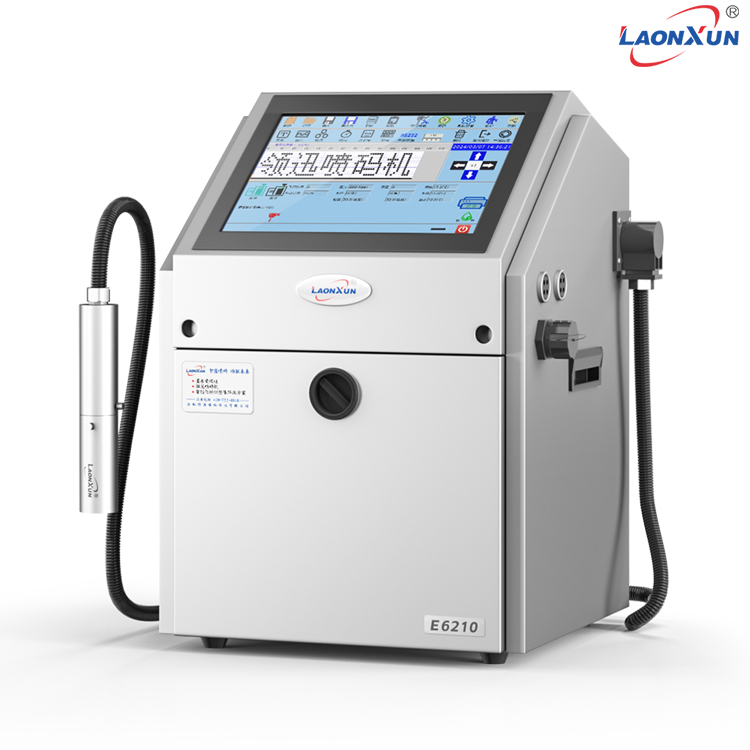
1. Prepare work to clean the ink system before shutdown: Before shutdown, run the cleaning program for a period of time to ensure that the ink in the ink system is cleaned as clean as possible.
During the cleaning process, pay attention to checking the concentration and flow rate of the cleaning solution to ensure the cleaning effect.
Discharge residual ink: Drain the ink in the ink system completely to avoid ink settling in the system for a long time and causing clogging.
At the same time, the cleaning solution is also drained to prevent the cleaning solution from causing corrosion to the equipment.
Remove the nozzle: Before stopping the machine, remove the nozzle, soak it in a special cleaning solution and clean it to ensure that there is no residual ink inside the nozzle.
After cleaning, place the nozzle in a dry and clean environment for storage.
Turn off the power: After completing the above steps, turn off the power switch of the ink printer to ensure that the equipment is completely powered off.
2. Maintenance measures during downtime to keep the environment dry: Place the ink printer in a dry and ventilated environment to avoid moisture to the equipment.
Regularly check the environment around the equipment to ensure that there is no moisture, water, etc.
Regular start-up inspection: During long downtime, it is recommended to turn on the machine every other time (such as a month) and run it for a few minutes to check the equipment status.
When turning on the machine, pay attention to observe whether the operating sound, indicator lights, etc. of the equipment are normal.
Replace expired consumables: Before stopping or during start-up inspection, check the shelf life of consumables (such as ink, cleaning solution, etc.) and replace expired consumables in a timely manner.
Protect the nozzle: The nozzle is a key component of the ink printer and should be properly stored during downtime to avoid collision and damage.
Regularly check the storage status of the nozzle to ensure that it is in a dry and clean environment.
3. Prepare work to clean the nozzle before re-use: Before re-use, reinstall the nozzle on the equipment and clean it with a special cleaning solution.
After cleaning, test the nozzle to ensure that the nozzle is free from clogging and spray evenly.
Replace with new ink: Before using it, replace with new ink and cleaning solution to ensure that the equipment can operate normally.
Check the status of the device: Before restarting the device, check whether various functions of the device are normal, including printing effects, indicator lights, etc.
If abnormal conditions are found, troubleshooting and maintenance should be carried out in a timely manner.
Conduct trial printing: Before it is officially launched, conduct trial printing tests to ensure that the printing effect meets the requirements.
If poor printing results or abnormal equipment are found, equipment parameters should be adjusted in time or maintenance should be carried out.
To sum up, long-term shutdown of ink printers involves various aspects of preparation and maintenance measures. By following the steps and recommendations in this guide, users can effectively ensure that the ink printer remains in good running condition and prints when reactivated after a long shutdown.






